![blue_logo-2.png]](https://support.princh.com/hs-fs/hubfs/blue_logo-2.png?height=40&name=blue_logo-2.png)
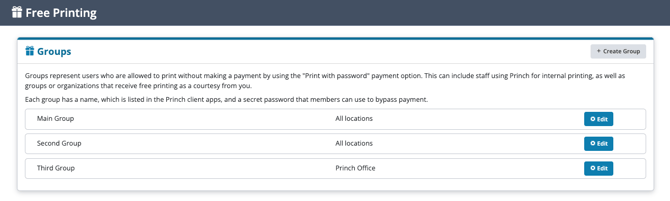
Groups define which users can print without paying by using the “Print with password” option. They can cover a range of users, such as staff who print internally or outside groups and organisations that you allow to print for free as a courtesy.
Each group is identified by a name shown in the Princh client apps, along with a password that members enter to complete their print jobs without payment.
Setting up & configuring Groups
There are several configuration options available when creating or managing your groups:
- Create and configure new groups requires the following inputs:
- Group name
- Shown to users when they choose the "Print with password" option
- Password
- Entered by group members to bypass payment and print for free
- Location
- If your organisation has multiple locations you can choose whether the password applies only to a specific location or across all Princh locations
- Limit
- Enable and set a spending limit for the group
- The available funds can be reset from the group settings
- Deactivation date
- Set a date and time for when the group should no longer be usable
- Note: It may take up to 15 minutes after the selected time for the group to deactivate
- Group name
- Edit existing groups
- Group name
- Update the name shown to users
- Password
- Change the password used to bypass payment
- Location
- Adjust where the group's password is valid
- Group name
-
- Limit
- Enable, disable, or update the spending limit
- Reset the group’s available funds
- Limit
The Administration panel's detailed order export allows you to track printing activity per group. In the export, the Payment details column identifies which Free Printing group was used for each print job, giving you an overview of how much each group prints.
For more information, see How to export detailed printing data from the Administration Panel.